Table of Contents
Return Stock
Overview
You can return excess material back to inventory, using the Return Stock action button.
To return the main output, returning all the excess stock to inventory is necessary.
Return Stock
- Click on the Return Stock button. the Return Material to Stock popup is opened.
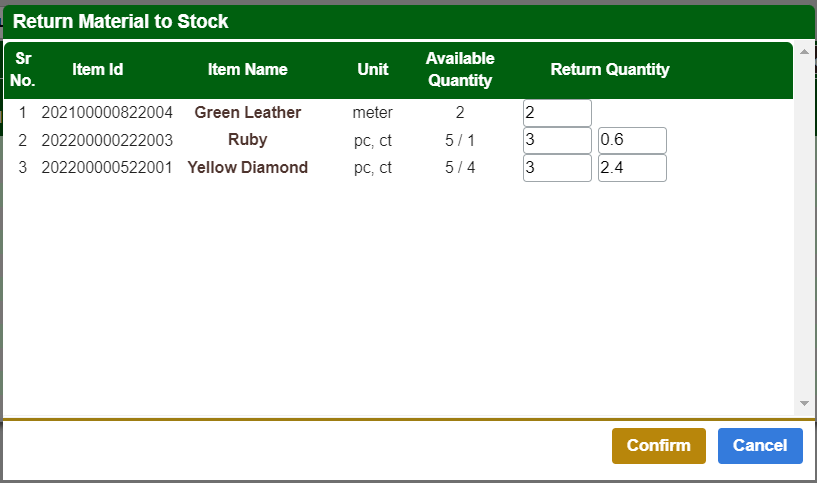
- Return Stock shows the list of materials available for return.
- Set the quantity you want to return in the Return Quantity field.
Note: To return the main output, all the remaining items should be returned.
Returns History
You can view the history of all the stocks returned from the Job Order. This list can be used to track all the stock returns for that Job Order.